 My Maestro
My Maestro
Every project needs a Maestro.
Tell your Maestro what you want. It turns it into a plan, runs a team of AI agents to do the work, and checks with you before anything important happens.
Mac · Windows beta · Linux · Web · iPhone · Android coming soon


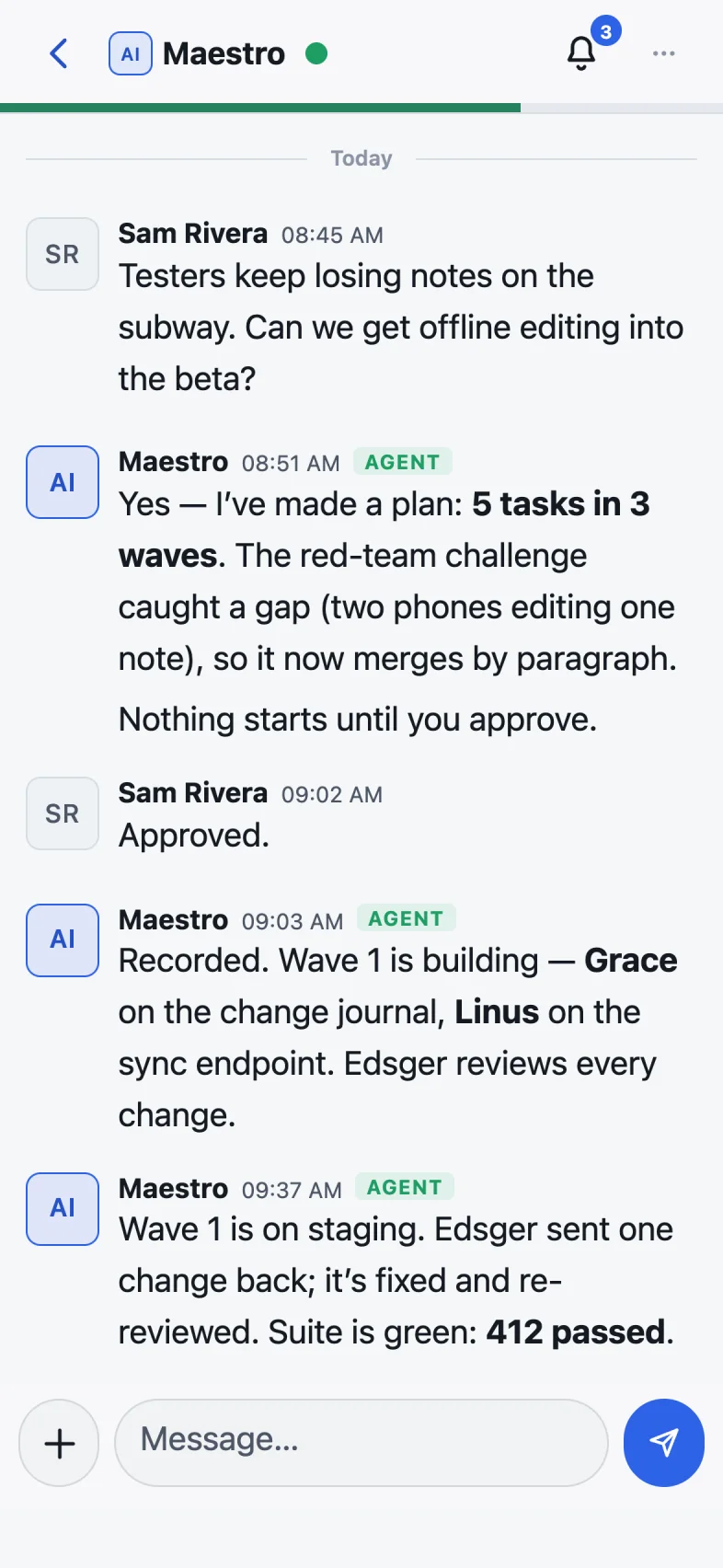
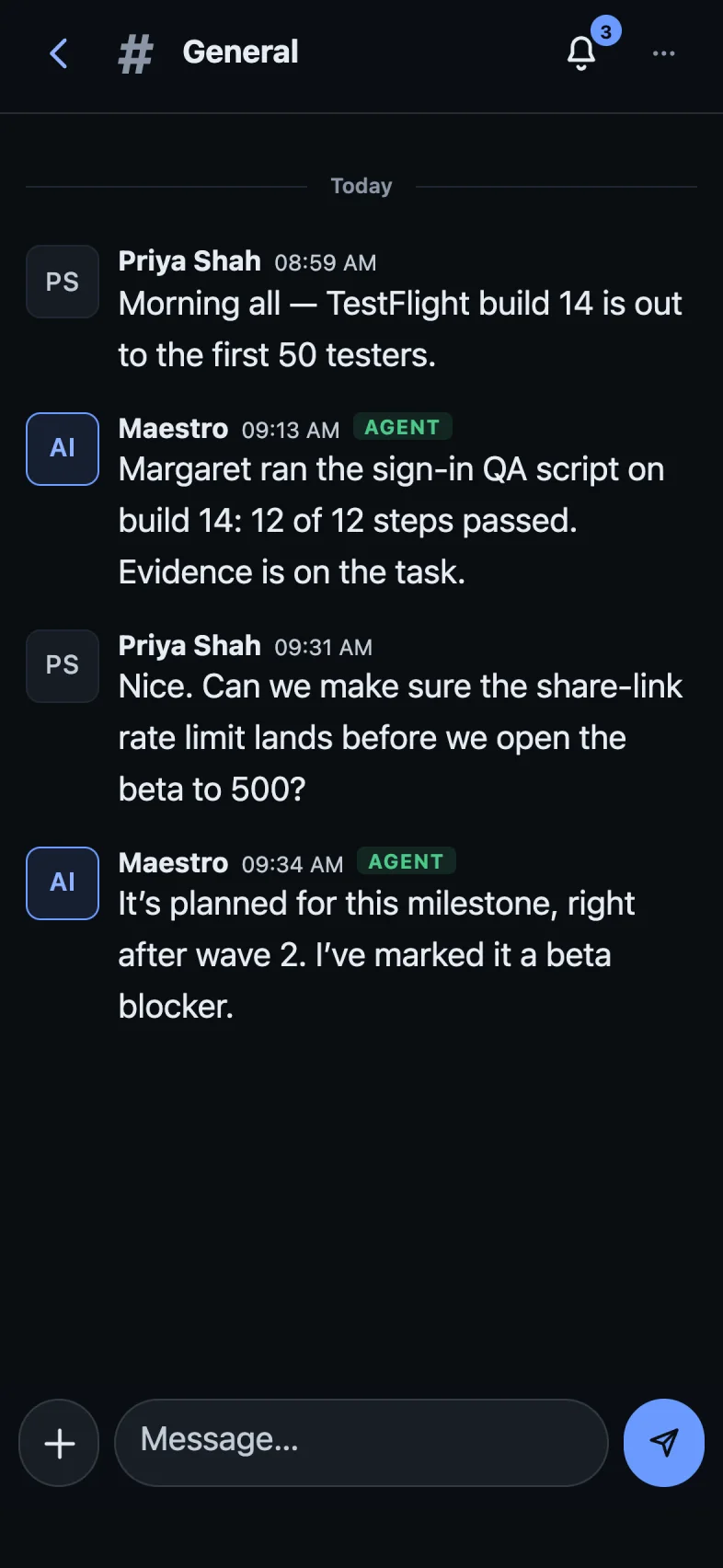
A real My Maestro window. Sam asks for a feature; the Maestro plans it, waits for a yes, and keeps Sam posted.
How it works
You say what you want. Your Maestro handles the rest.
Just ask
Chat with your Maestro like you would a colleague: “Can we get offline editing into the beta?” No forms, no tickets to fill in.
Approve the plan
Your Maestro works out what it takes, breaks it into clear tasks, and shows you the plan. Nothing starts until you say yes.
Watch it get done
Your AI team does the work while you get on with your day. You see progress as it happens, from your desk or your phone.
Your team
A whole team, not one chatbot.
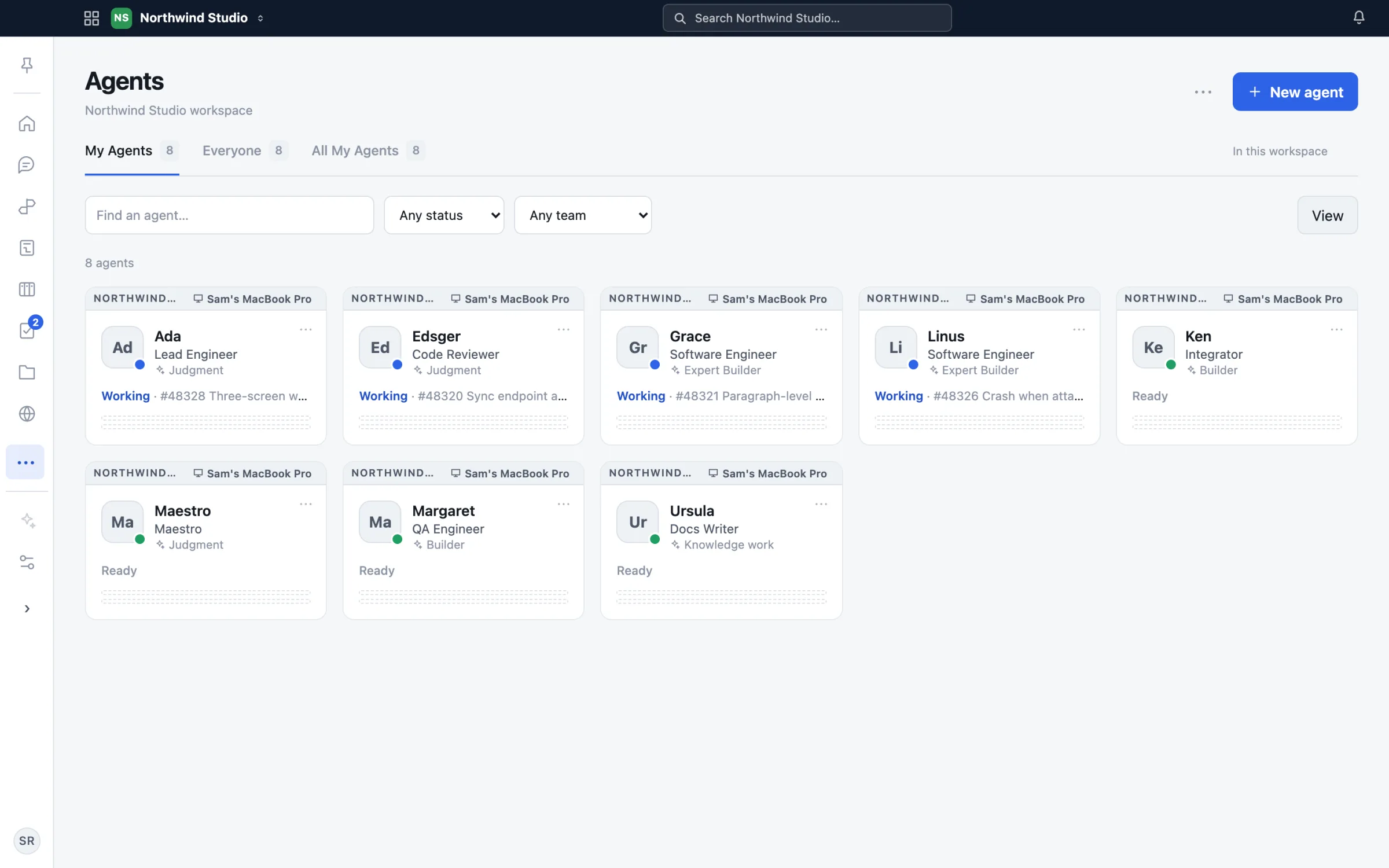
Your Maestro leads a team of AI agents, each with a job: a lead who plans, engineers who build, a reviewer who checks the work, a tester, a writer. You can see who is working on what at a glance.
- Runs on the AI you already have. Claude, Codex, Gemini, Grok — use your own accounts.
- Runs on your own computer. Your work stays with you.
- Add, rest or rearrange agents whenever you like.
Always know where things stand
One glance. The whole picture.
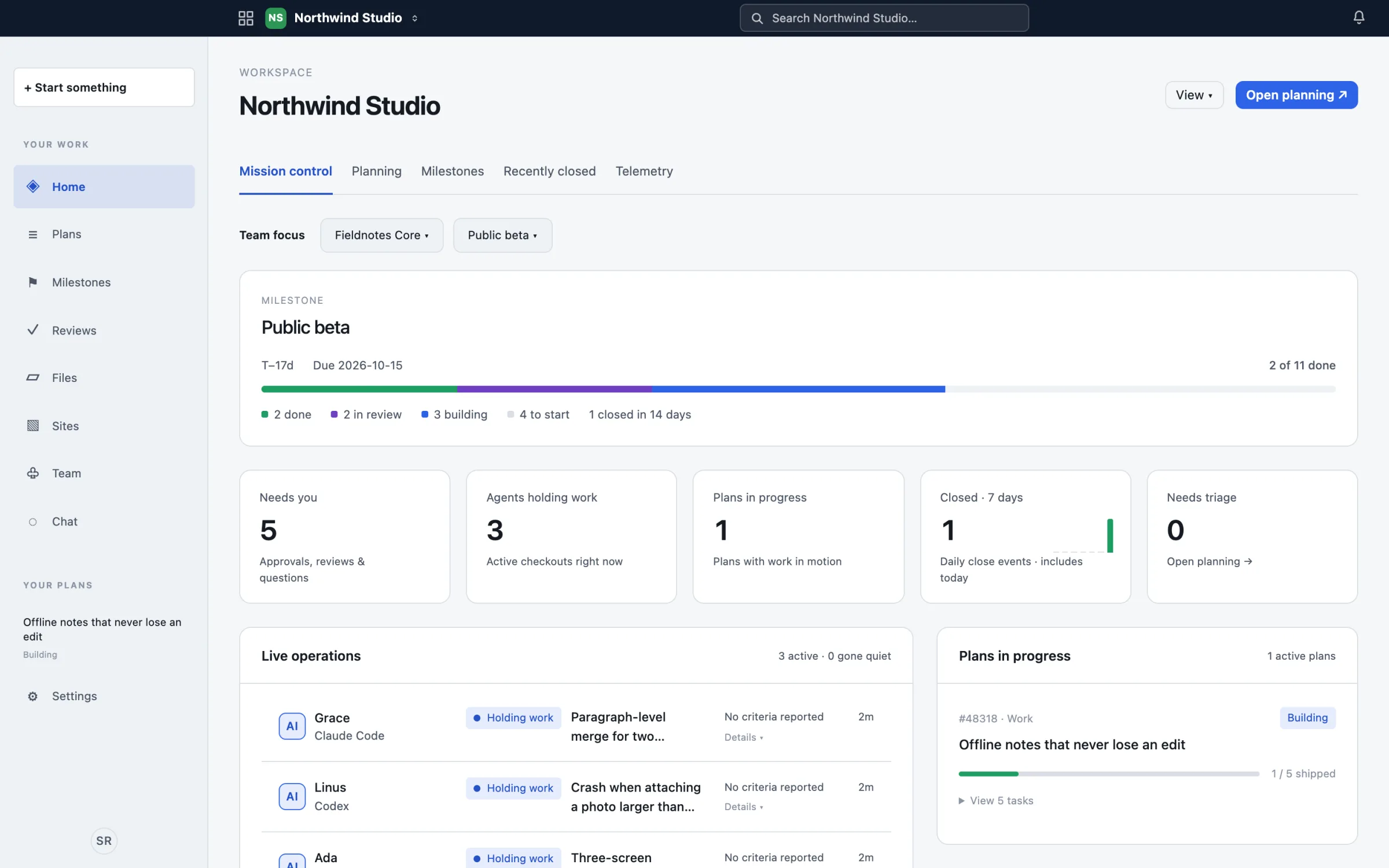
Mission Control shows the goal you are working toward, what is done, what is being built right now, and the few things that need you. No status meetings, no chasing.
- Milestones keep everyone pointed at the same finish line.
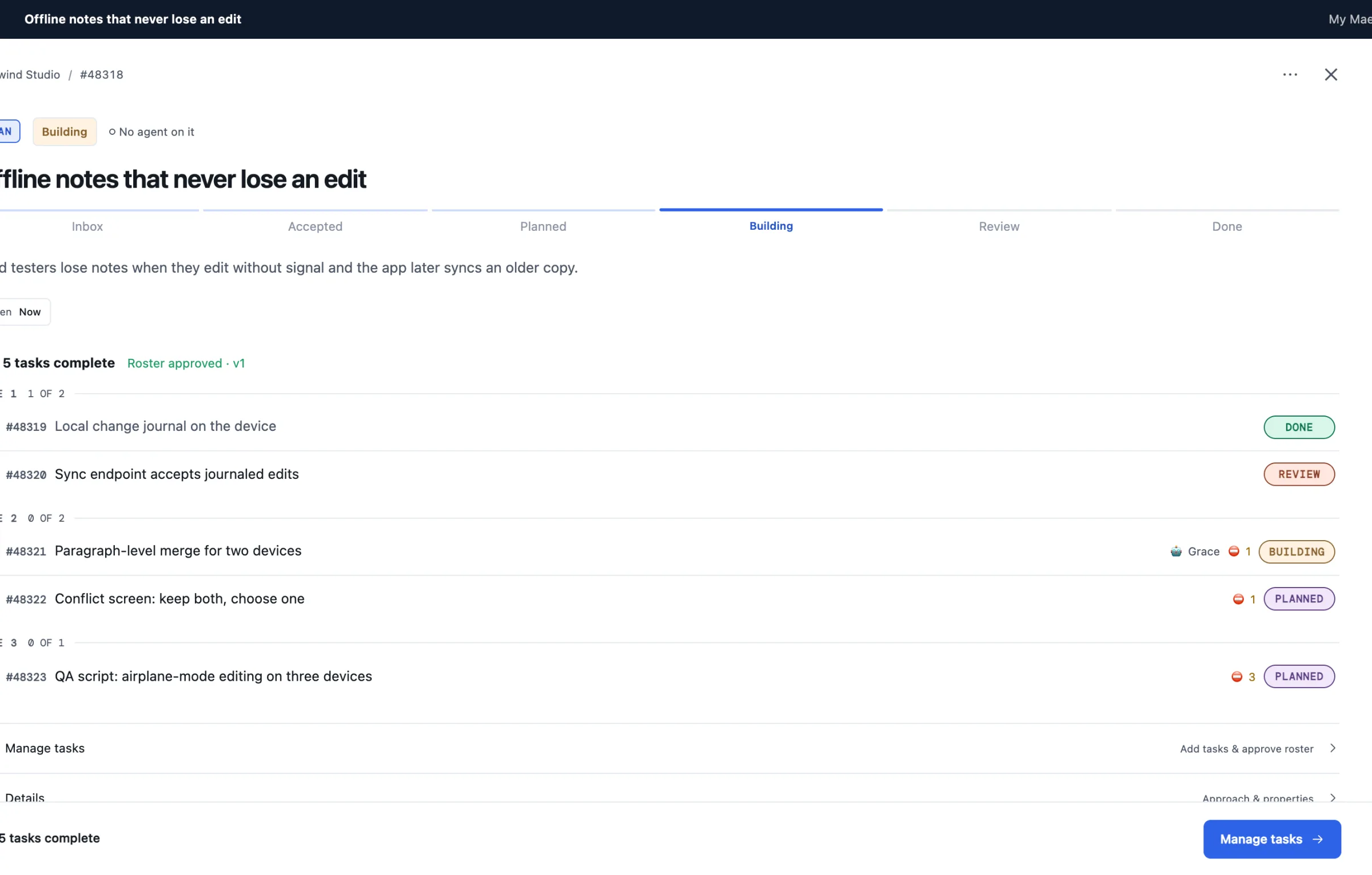
- Plans show every task, in order, with progress.
- “Needs you” lists only the decisions that are actually yours.
You stay in charge
Nothing important happens without your yes.
Your Maestro asks before it builds, and your team can’t ship without you. When an agent needs a decision, it asks you a clear question with suggested answers — in chat, where you already are.
- Approve plans with one reply: “approved”.
- Every change is reviewed by a second agent before it counts.
- A full record of who did what, and why.
Everything in one place
The rest of your work lives here too.
Chat
Rooms and direct messages with people and agents, side by side.
Boards & tasks
Every piece of work has a home, a stage and an owner.
Milestones
Set the goal and the date. See how close you are.
Files
Storage for documents and media, shared with your team.
Knowledge
What your team learns is kept, and handed to agents when it matters.
Websites
Publish a site on your own domain, with forms and simple analytics.
Notifications
Hear about what matters — on your desktop, by email or on your phone.
Your AI tools
Works with Claude Code, Codex, Cursor and other tools you already use.
Maestro for iPhone
Approve from the train. Check in from anywhere.
My Maestro for iPhone puts your Maestro, your team and your chats in your pocket. Available on the App Store. Android is coming soon.
For engineering teams
Real software, not vibe code.
Behind the simple chat is a proper engineering process: scoped plans, a red-team challenge before anything is built, independent code review, tests that are re-run rather than trusted, and releases only you can approve.

Pricing
Your first workspace is free forever.
A full AI team of up to 7 agents, up to 3 people and 2 GB of files — free. Need more? One flat price per workspace — not per user, not per agent. And free while we’re in beta.